An on-call shift describes a period during which an employee is on call (for example, available by phone outside working hours). Each on-call shift belongs to a type of on-call duty. After an on-call shift is saved, the attendance records of the people concerned are recalculated automatically.
The list contains the columns Name, Color, Abbreviation, On-call type, Start, End and Note. Click a row to open the Edit on-call shift dialog. Delete selected shifts using the Delete button.
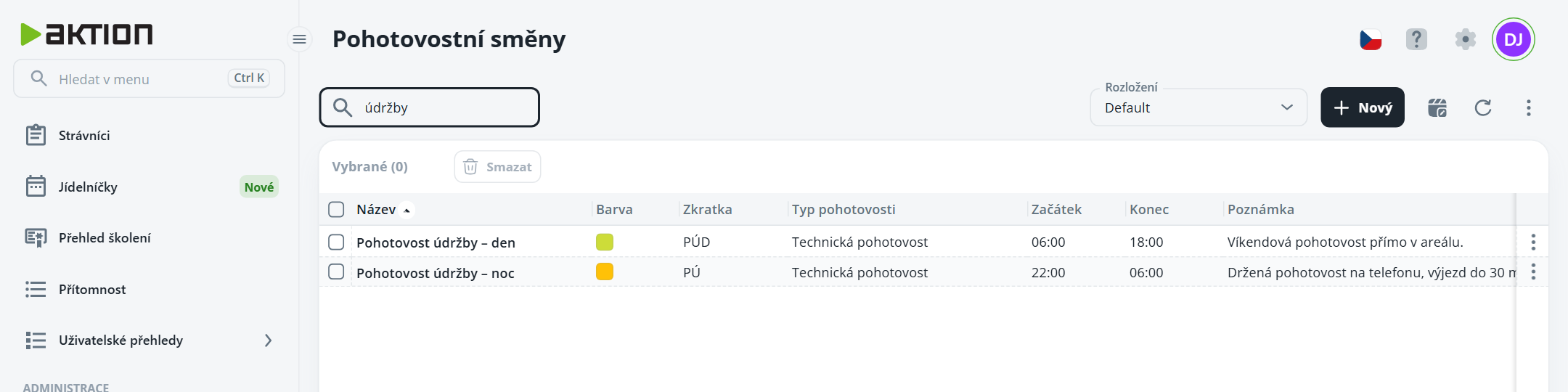
Figure 1: List of on-call shifts (01-pohotovost-seznam.png)
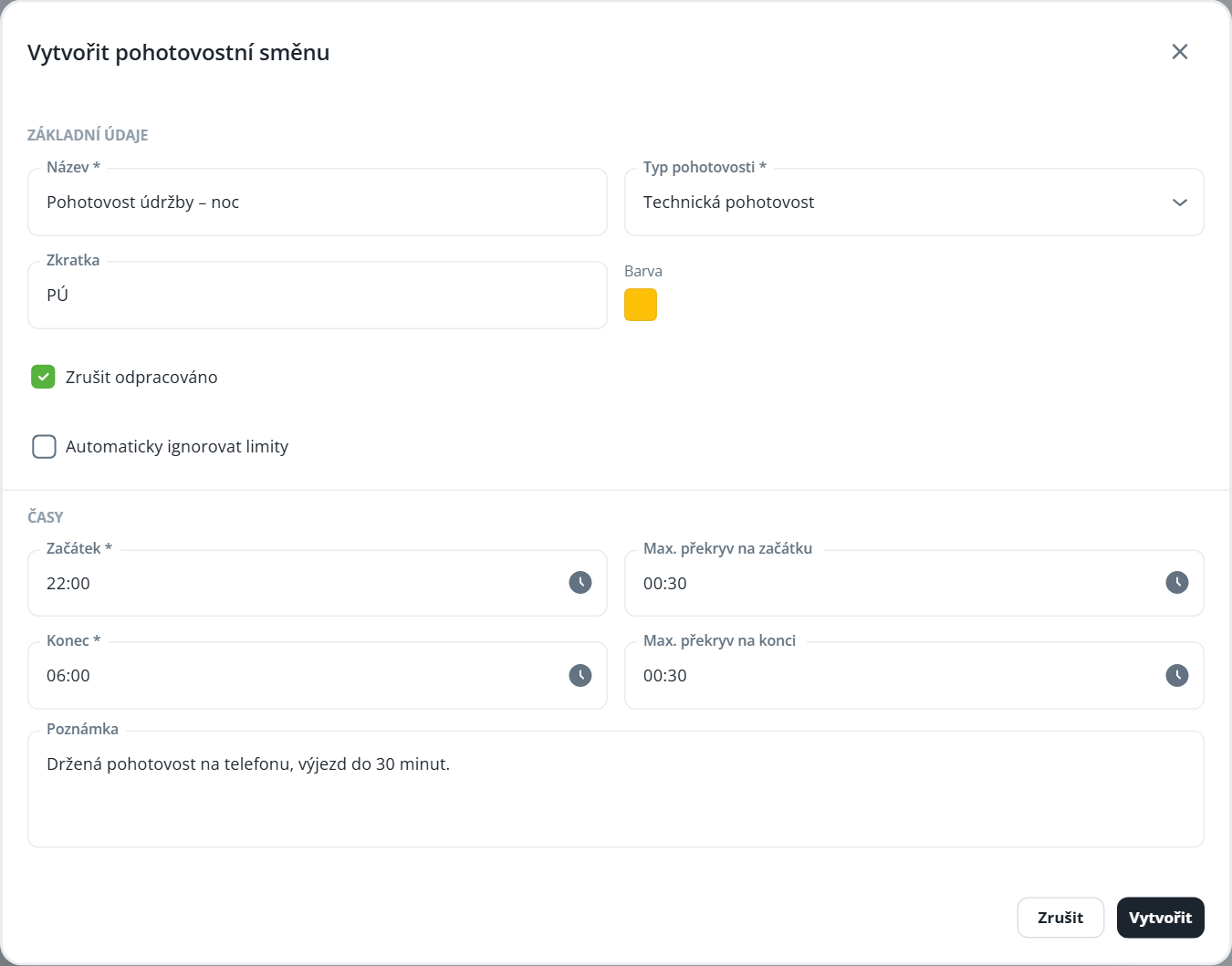
Click New. The Create on-call shift dialog opens.
In the Basic details section, enter the Name and select the On-call type, and optionally add an Abbreviation and Color.
Check the following as needed:
Exclude from worked time – worked time is not counted during the on-call period; the interval is deducted from worked time,
Automatically ignore limits – when clocking in during an on-call shift, limits are automatically ignored.
In the Times section, enter the Start and End, and optionally the Max. overlap at start and Max. overlap at end.
Optionally, fill in Note and click Create.
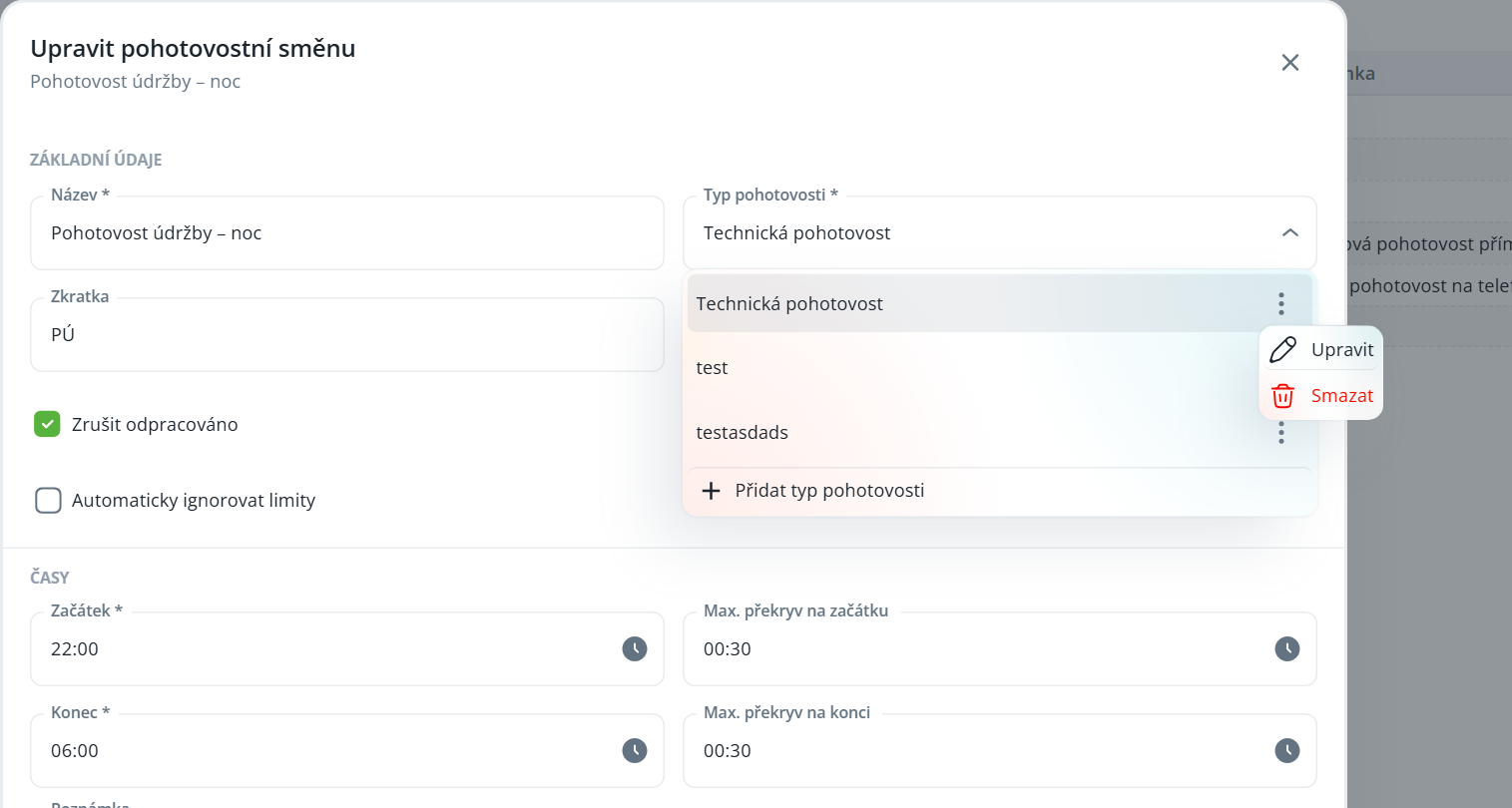
On-call types do not have their own agenda—you manage them directly in the On-call type field in the on-call shift dialog.
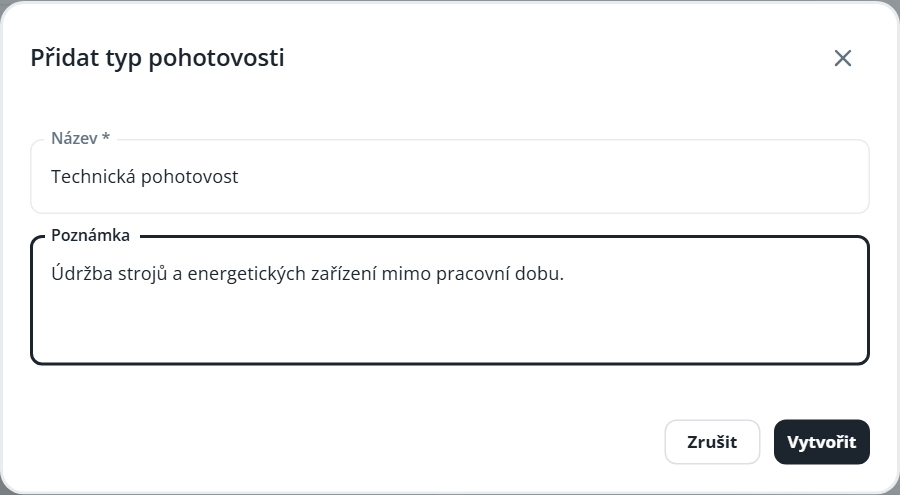
Add a new type by selecting Add on-call type at the end of the menu. In the dialog, fill in Name, optionally Note, and click Create. The type will be saved and selected automatically.
For an existing type, open the ⋮ menu and select Edit or Delete.