The opening mode determines how doors are opened at different times of the day and what users must use to identify themselves. The opening mode is assigned to a reader in the device properties in the HW structure.
The list shows the Name, Note, who last changed the record, and when. Find a record using the Search table field. The ⋮ menu at the end of the row offers Edit, Copy, Record history and Delete. The Copy option opens a new mode with the selected mode's schedule pre-filled.
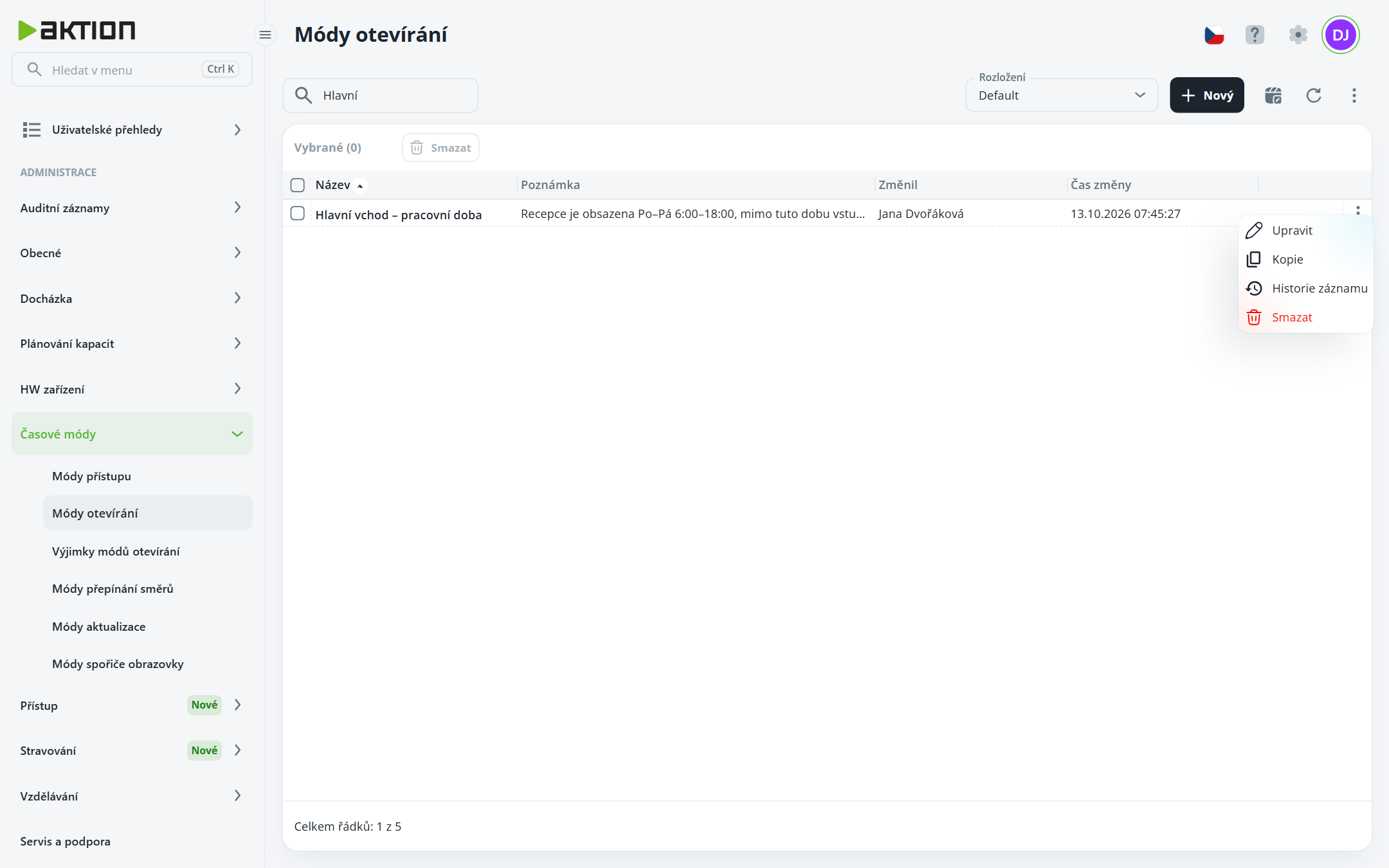
Click New.
Enter the Name and, if applicable, a Note.
Set the schedule (see Time modes – schedule editor). A new mode starts entirely in Card or biometrics mode.
Click Create.
Open an existing mode by clicking its row; save your changes using the Save changes button.
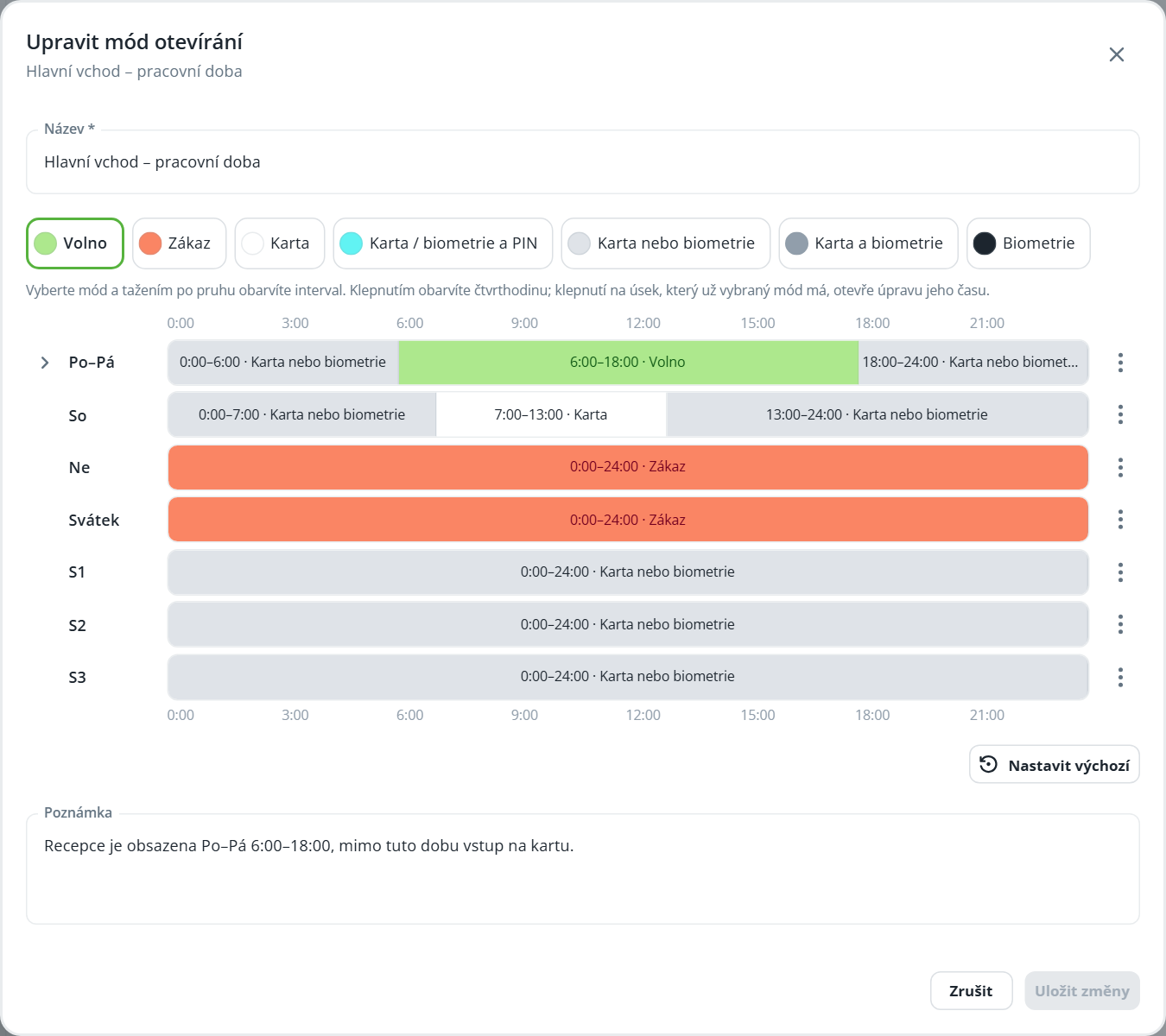
Mode | Meaning |
|---|---|
Free access | The door is permanently unlocked; passage is possible without identification. |
Prohibited | The door cannot be opened; passage is prohibited for everyone. |
Card | Simply present your ID card. |
Card / biometrics and PIN | The user identifies themselves with a card or biometrics and also enters a PIN. |
Card or biometrics | Either one is sufficient – present a card or authenticate biometrically. |
Card and biometrics | The user presents a card and then also authenticates biometrically. |
Biometrics | The user identifies themselves using biometrics only; no card is used. |

The opening mode determines how doors are opened at different times of the day and what users must use to authenticate. The opening mode is assigned to a reader in the device properties in the HW structure.
