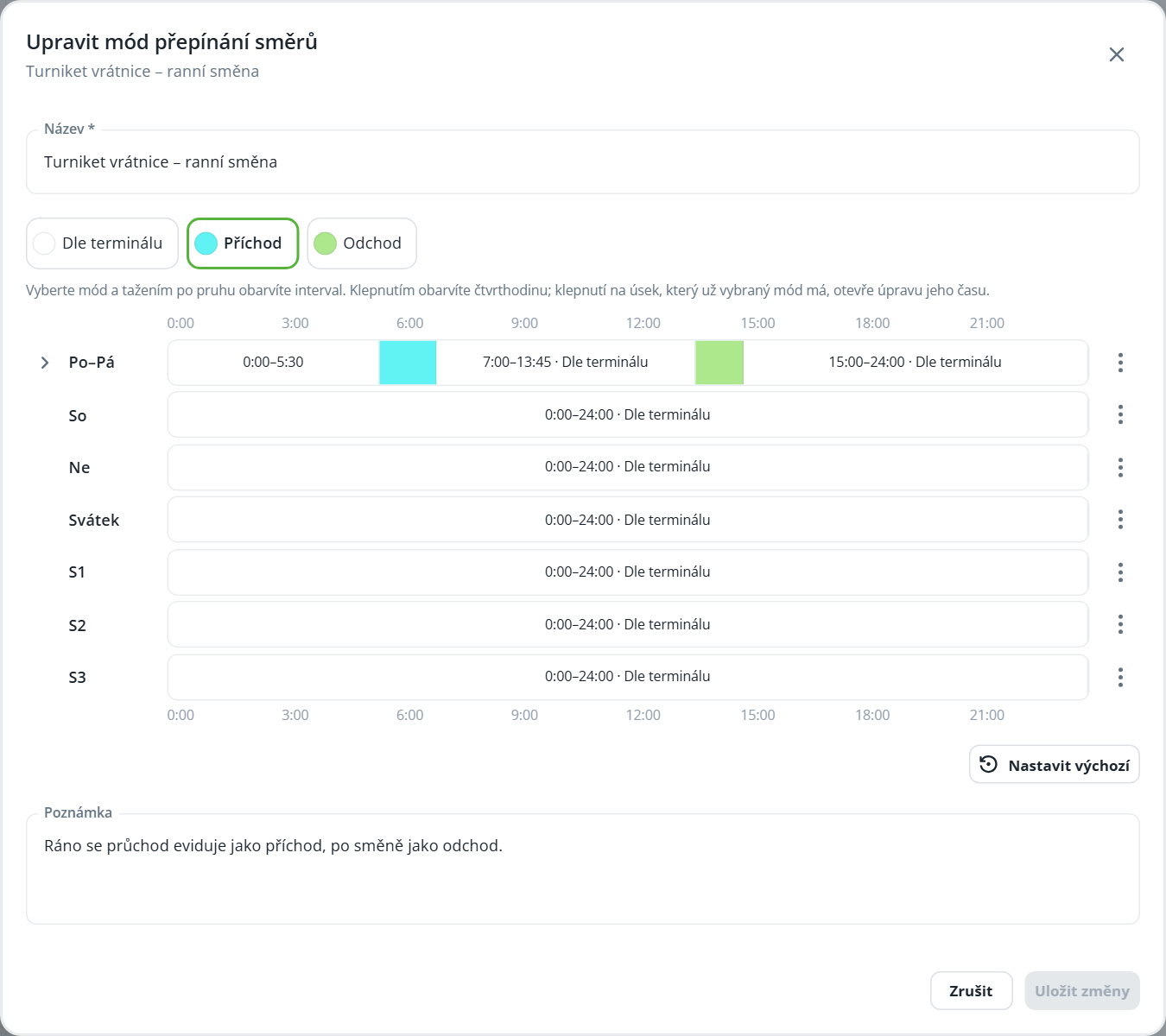
The direction switching mode determines how passage through the reader is recorded at a given time—for example, when one turnstile is used for arrivals in the morning and departures in the afternoon. The mode is assigned to the reader in the device properties in the HW structure.
Creating a mode
The procedure is the same as for other modes (see Time modes – schedule editor). The new mode is entirely in the Terminal-dependent state.
Mode | Meaning |
|---|---|
According to terminal | The direction of passage is determined by the sensor setting. |
Arrival | The passage is recorded as an arrival. |
Departure | The passage is recorded as a departure. |
Example: in the Mon–Fri row, set the Entry interval in the morning and Exit in the afternoon; for the rest of the day, As per terminal will remain.