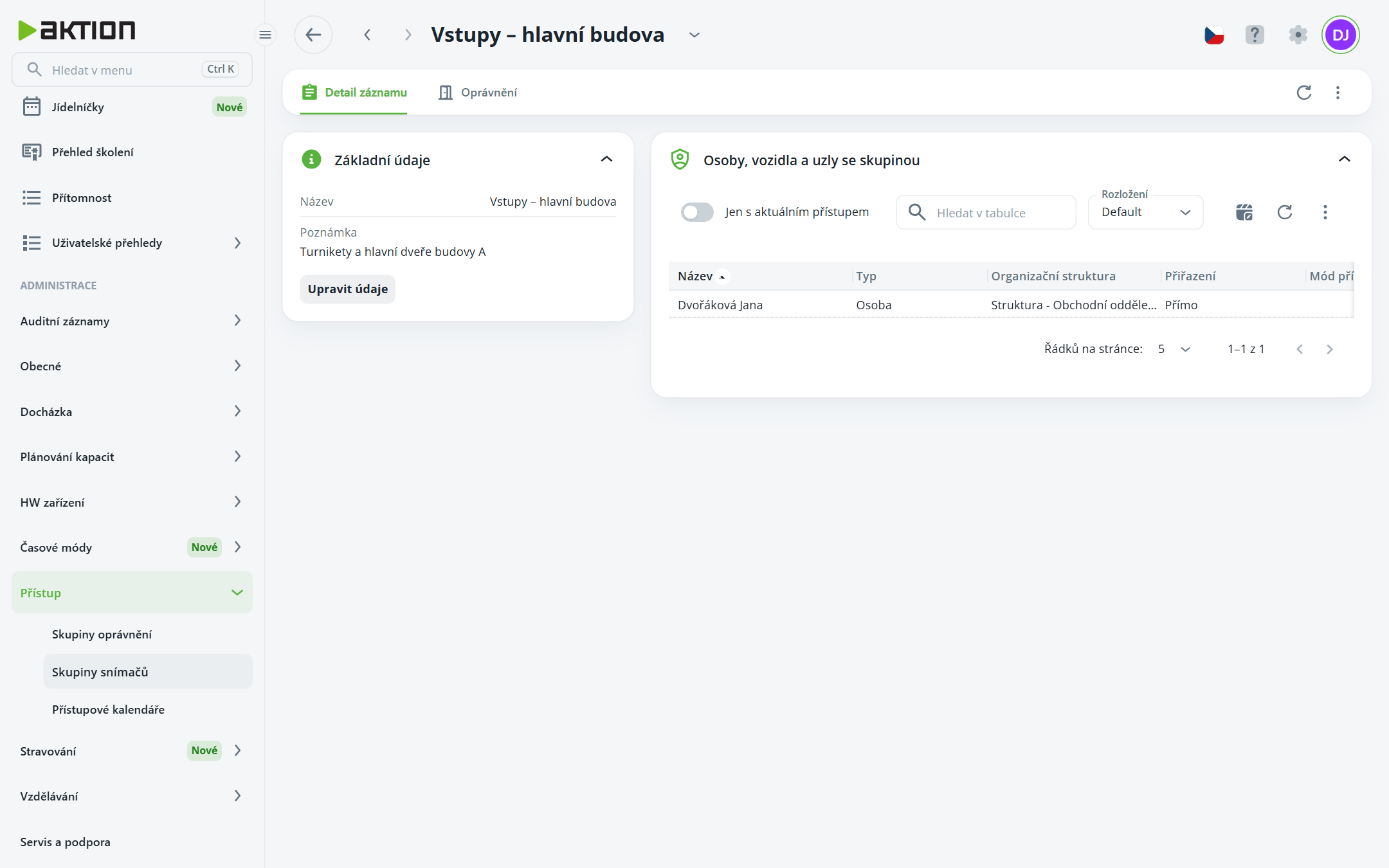
Skupina snímačů pojmenovává sadu snímačů, na kterých lze osobě nebo vozidlu povolit přístup a docházku najednou. Na rozdíl od skupiny oprávnění skupina snímačů neurčuje mód přístupu, platnost ani identifikaci – ty se nastavují až při přiřazení skupiny osobě. Osoba může mít přiřazeno více skupin snímačů, každou s vlastním módem a platností.
Seznam ukazuje Název, Poznámku, Změnil a Čas změny. Menu řádku nabízí Detail, Upravit, Kopie, Historie záznamu a Smazat. Kopie skupiny převezme i její definici snímačů.
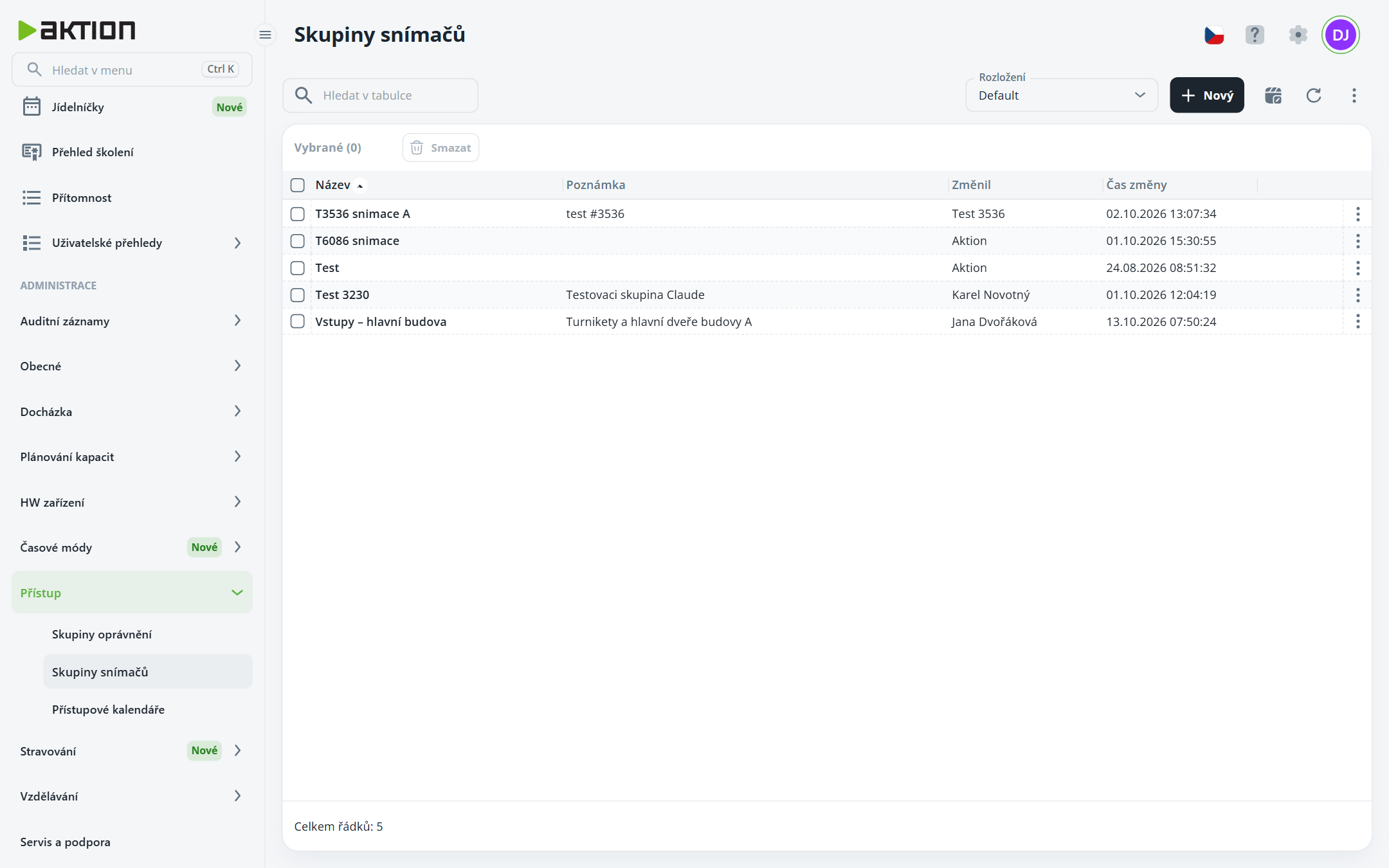
Click New, fill in Name, optionally add a Note, and click Create.
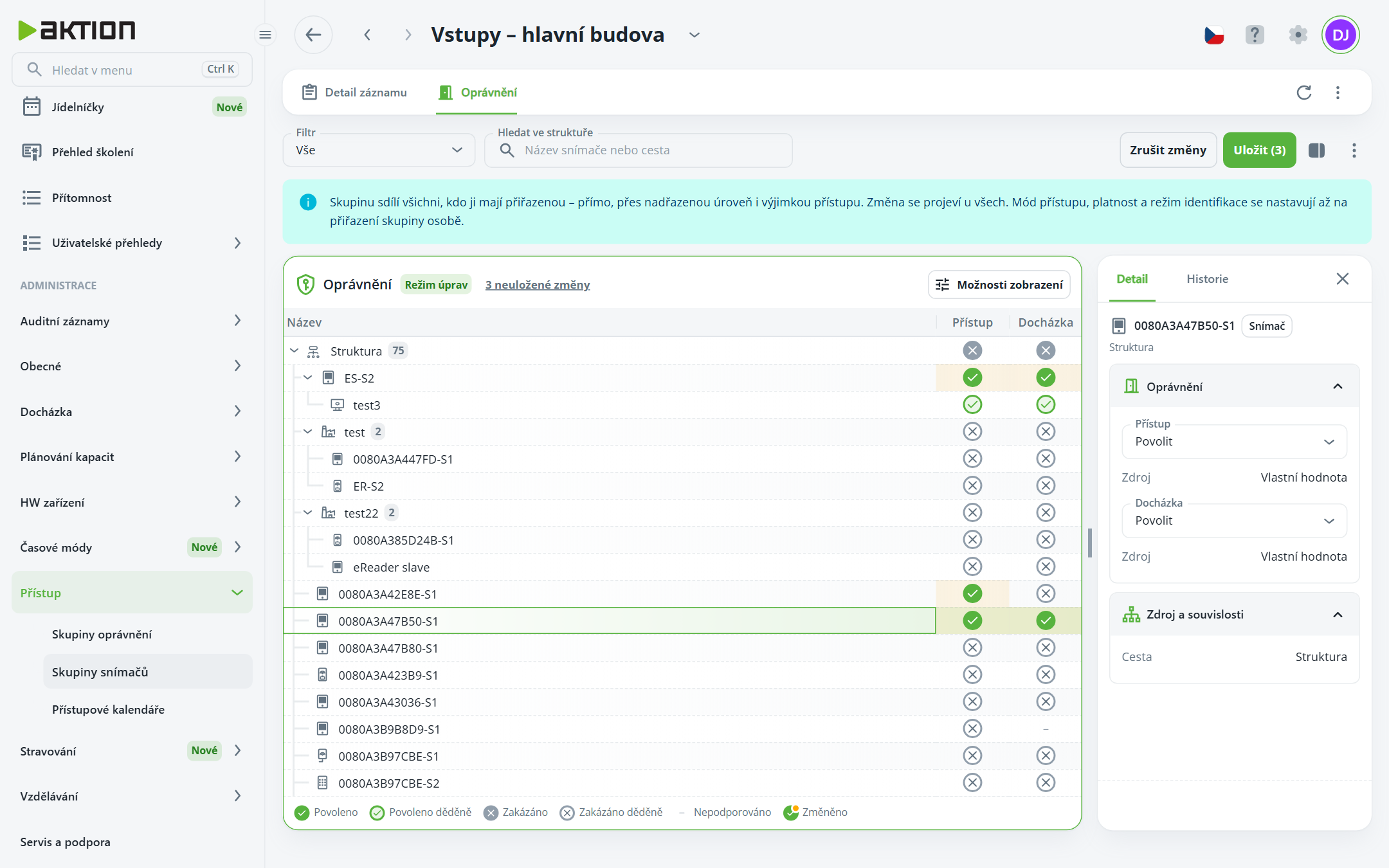
In the group details, go to the Permissions tab and click Edit permissions.
In the HW structure tree, enable the nodes that belong to the group in the Access column, and optionally the Attendance column. Child nodes inherit the settings.
Click Save.
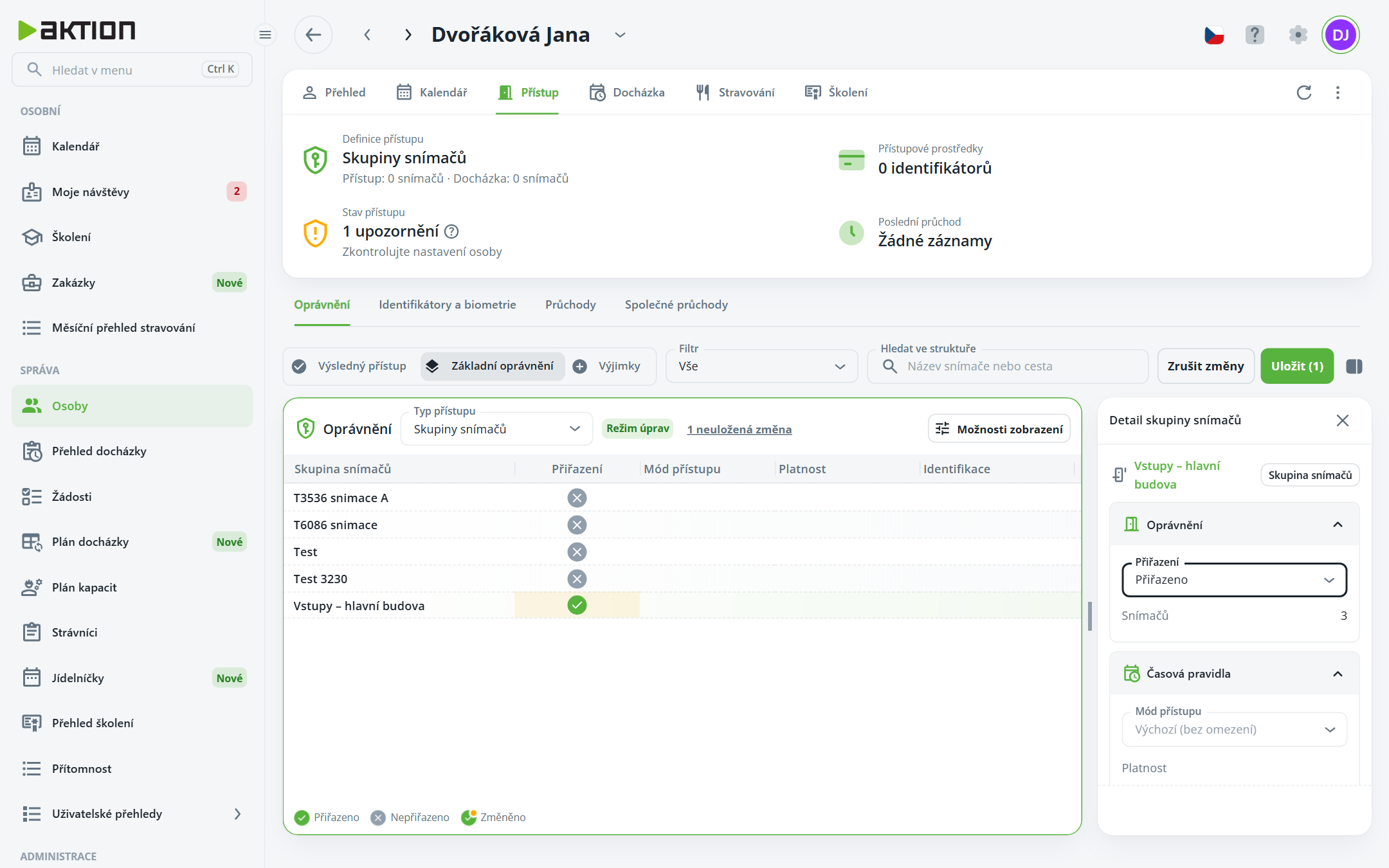
In the person’s details, open Access → Permissions → Basic permissions and click Edit permissions.
In the Access type field, select Sensor groups and click Save.
Click Edit permissions again. The table displays all sensor groups. Click the group row and set Assignment to Assigned in the panel on the right.
In the Time rules section, set the Access mode and Validity; in the Identification section, set the identification method. Click Save.
On the Record details tab, there is a table called People, vehicles and nodes in the group. In addition to direct assignment and assignment through a parent level, it also shows assignments by Access exception. The Only with current access toggle shows only holders with valid authorization and an identifier.