Agenda keeps track of third-party devices and systems that Aktion.NEXT works with – ATEAS camera systems, cash registers, purchase imports from vending machines, C4 and Alvis servers, and external antipassback. The form offers the required fields based on the device type.
The list shows Name, Type, Address, Port, Parent device, Outlet, Note, Changed by and Change time.
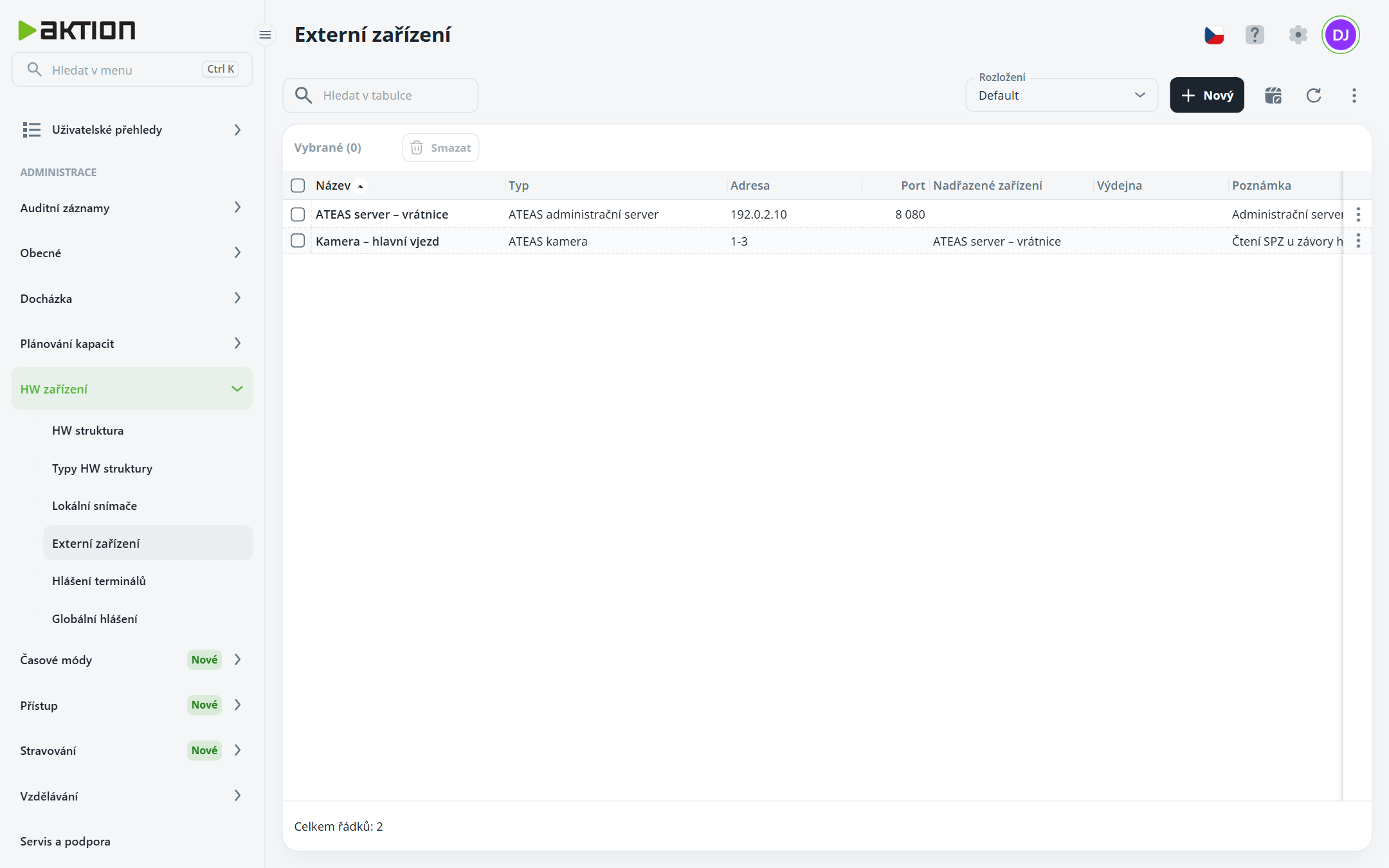
Click New.
Fill in Name and select Type. The available types are ATEAS administration server, ATEAS camera, C4 server, Alvis server, IMES Cash Register / KASA FIK, Automated purchase import and variants of External antipassback (YSoft Payment System, UK Library, Lotraco Time Slot Control, Koala42 Time Slot Control).
Fill in the fields according to the type:
servers and antipassback: Address, Port, optionally User and Password (for a C4 server, additionally Receiving port),
ATEAS camera: Parent device (ATEAS administration server) and Camera address in the format server number-camera number, e.g. 1-3,
cash register and purchase import: Outlet.
Click Create.
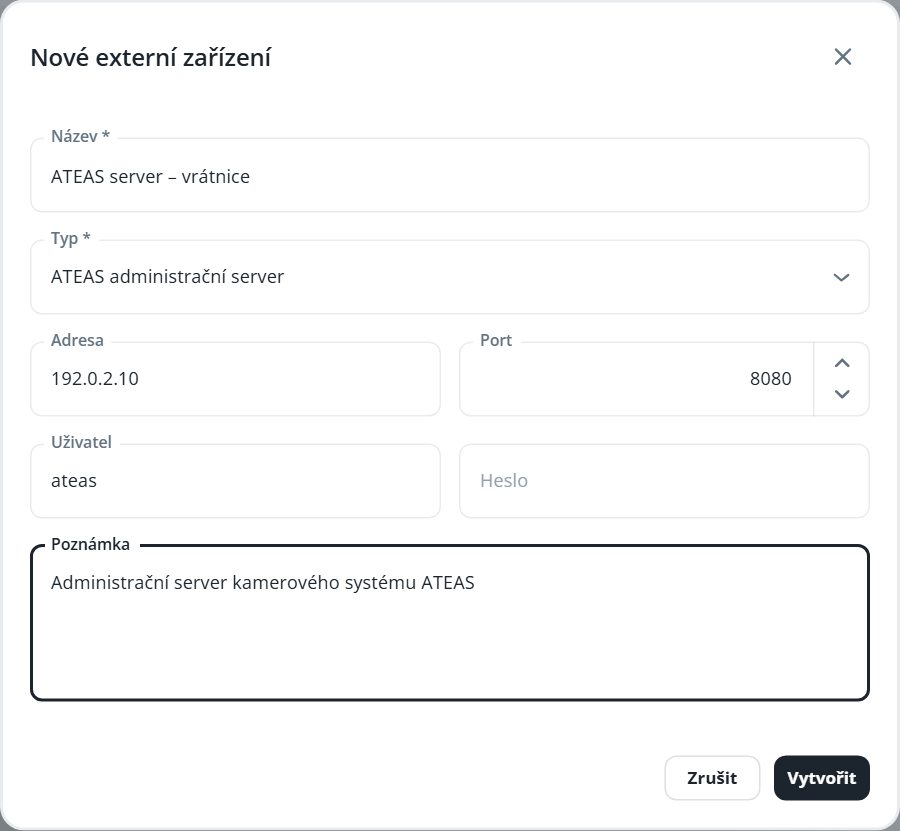
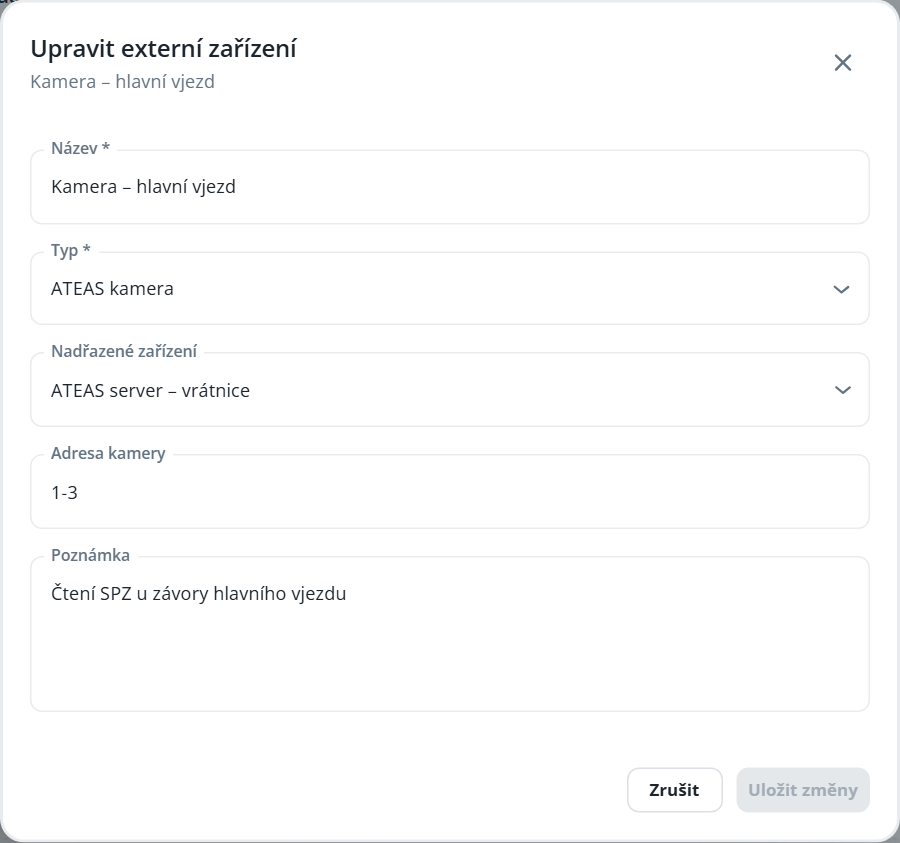
Password is not displayed after saving. When editing, fill it in only if you want to change it. For some types (e.g. external antipassback), a configuration template is prefilled in Notes — edit the values, but do not change the order of the lines.
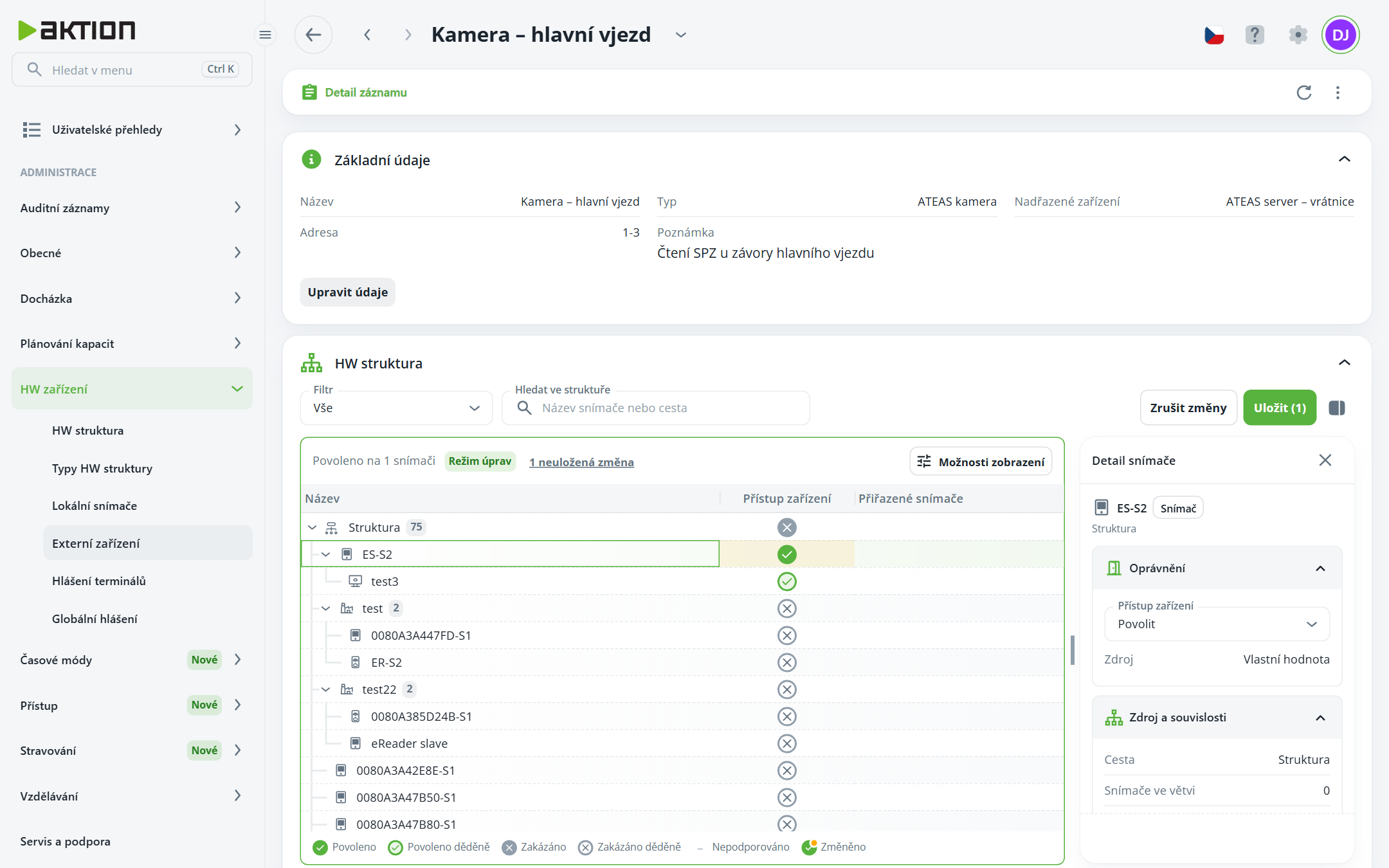
In the device details, below Basic information is the HW structure section. It determines which sensors the device works with.
Click Edit HW structure.
In the Device access column, enable nodes. Child nodes inherit the value. Above the tree, you can see how many sensors the device is enabled for.
Click Save.

A cash register with sales associated with it, or an ATEAS administration server with linked cameras, cannot be deleted.
