How to work with order items – what items are, where they are defined, how to reuse them across orders, and when it is not necessary to create new ones.
How to add items to an order and track planned duration – setting planned hours, their informative monitoring, and the system’s behavior when the planned time is exceeded.
How to restrict work logging on items by participants – configuring who can report time on a specific item and how this setting is reflected in the mobile and web applications.
How to correctly set item parameters – explanation of individual fields (code, name, unit, prices, quantity and price rounding) and their practical use when reporting and evaluating orders.
It is necessary to define items for orders – an order can have only one item, but it can also have several items (the number is not limited). Individual items are defined in the Items agenda. These items can be used across all orders; it is not necessary to create new items for each order if the names, prices, rounding, units, and principle are identical.
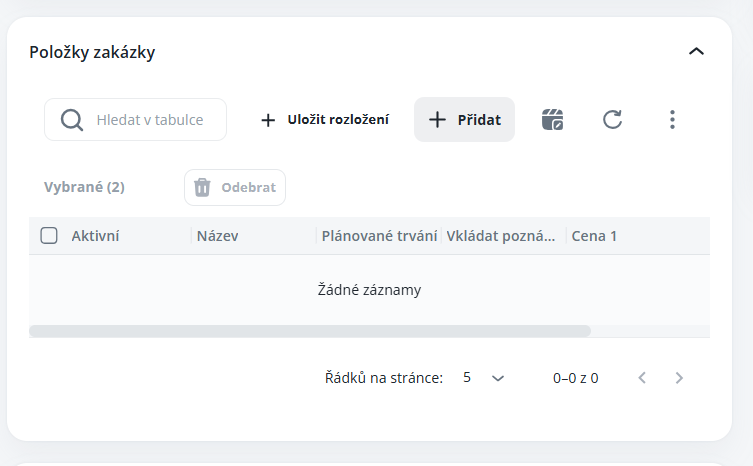
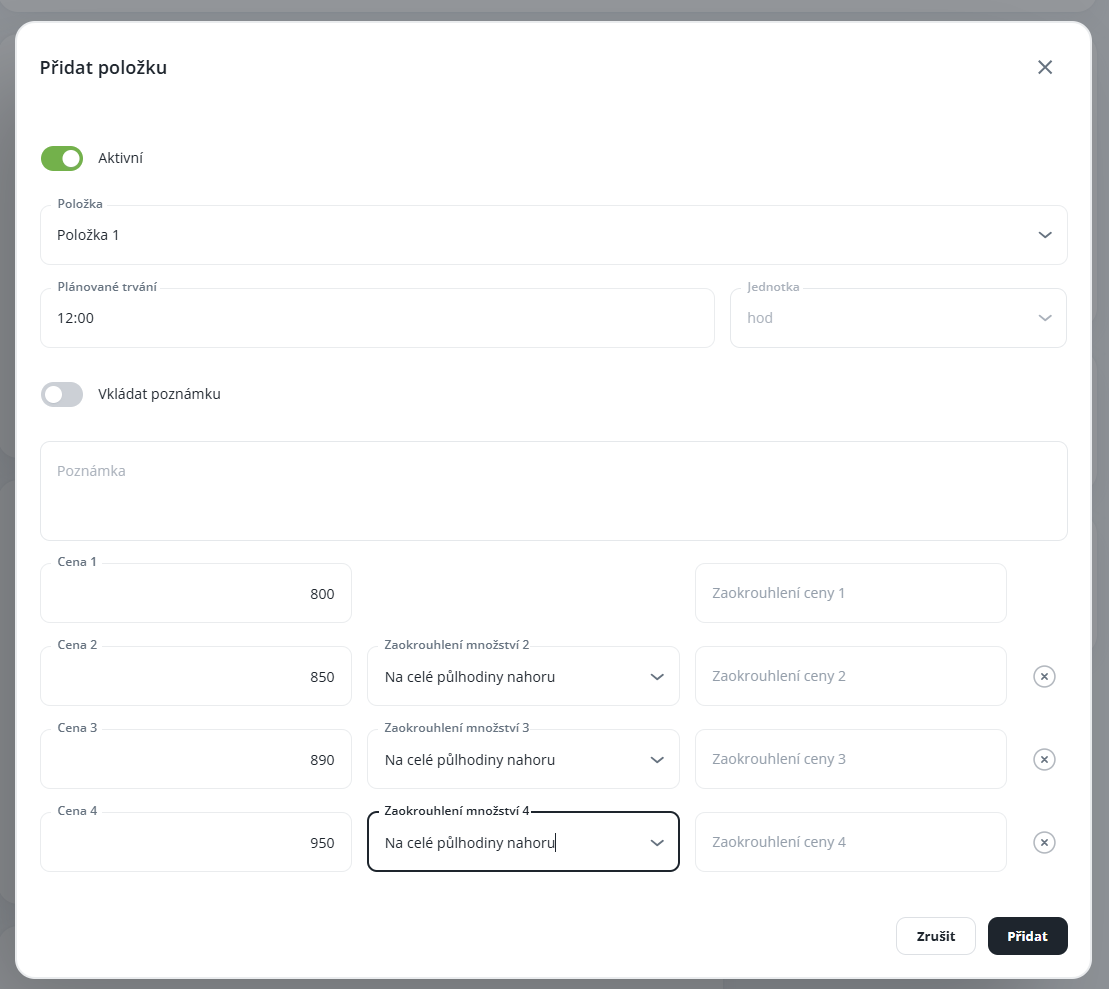
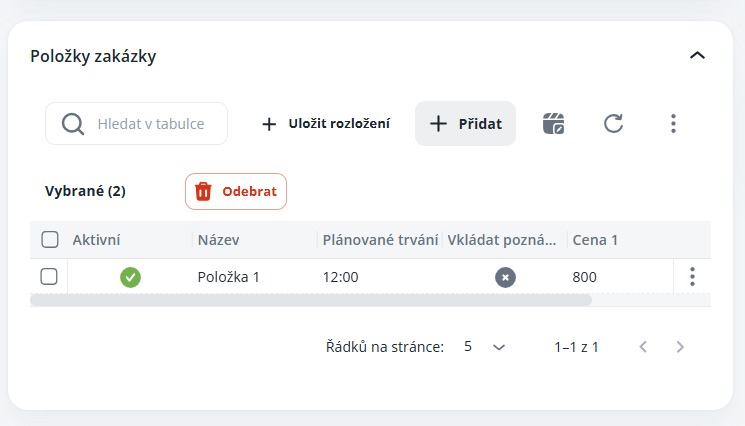
You add items to a specific order in the detail view of that order. For each item, it is possible to enter the planned duration of work and continuously monitor whether it has already been exceeded, or how many hours are still available (for example, with respect to the budget, etc.) – there is no control when entering performance if it has already been exceeded (the values are for informational purposes only), thus, the employee may continue to enter performance. The Planned Duration parameter is available only if the item is defined in hours.
You can perform this setting in the detail view of the respective order.
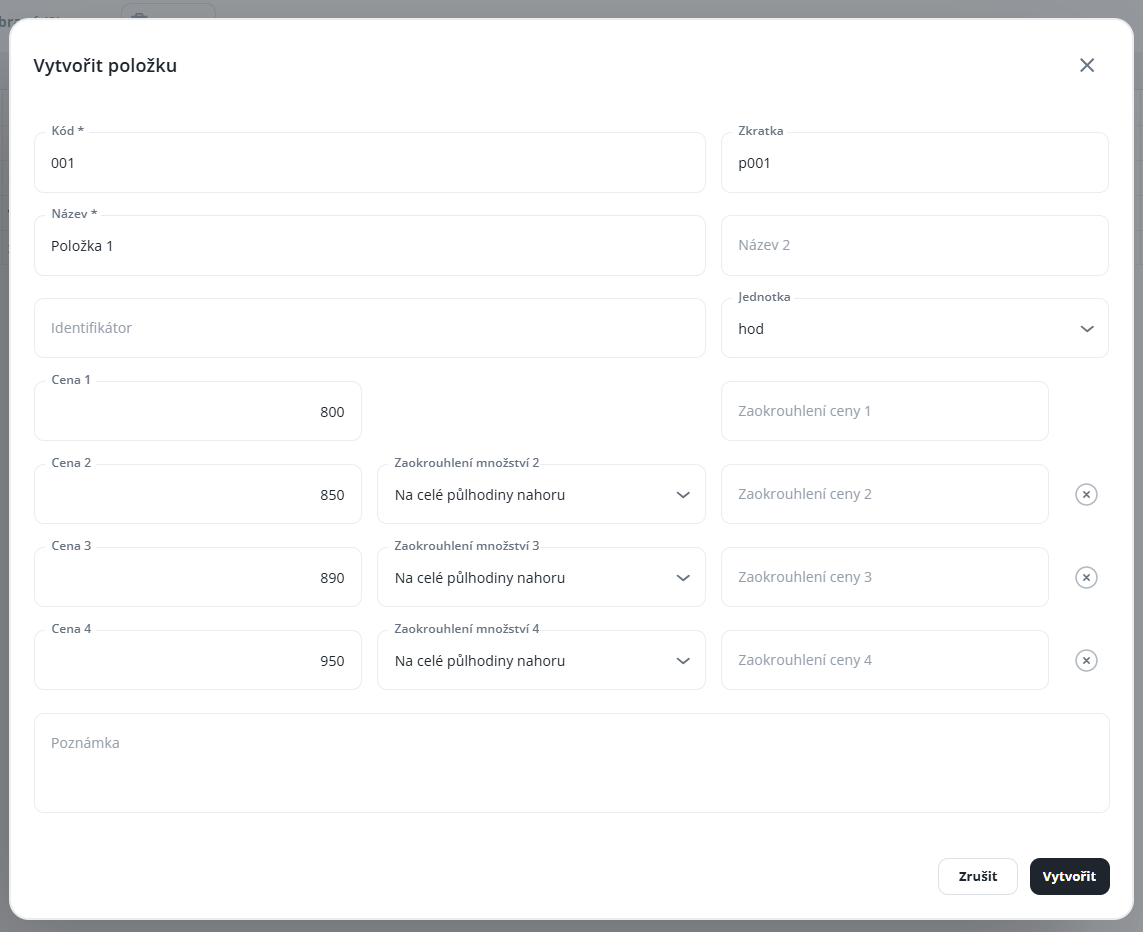
Code – internal item designation (e.g., numerical designation), this code can be used, for example, for item import or export, project identification, etc.
Name – this name is displayed in the mobile and web application; please enter it clearly, especially for technicians and employees who will be recording time on the project using the mobile or web application (filtering/sorting can be performed according to this parameter)
Unit – definition of the reported units type – hours, pieces, kilometers, meters, sets, days
Price 1 – default price per item, or it can also refer to the purchase price, etc.
Price 2–4 – additional pricing levels (it is possible to apply, for example, markups compared to the default or, conversely, discounts compared to Price 1)
Quantity Rounding 2–4 – available only for items with the unit set to hours (quarter hours, half hours, whole hours)
Rounding Price 1–4 – price rounding is always upwards
0 – rounding to a whole number, 1 – rounding to one decimal place, 2 – rounding to two decimal places, –1 – rounding to whole tens, –2 – rounding to whole hundreds