You can find the mask configuration in the detail of the user column, parameter “eNext Mask”. Enter the relevant character in the field according to the explanation below.
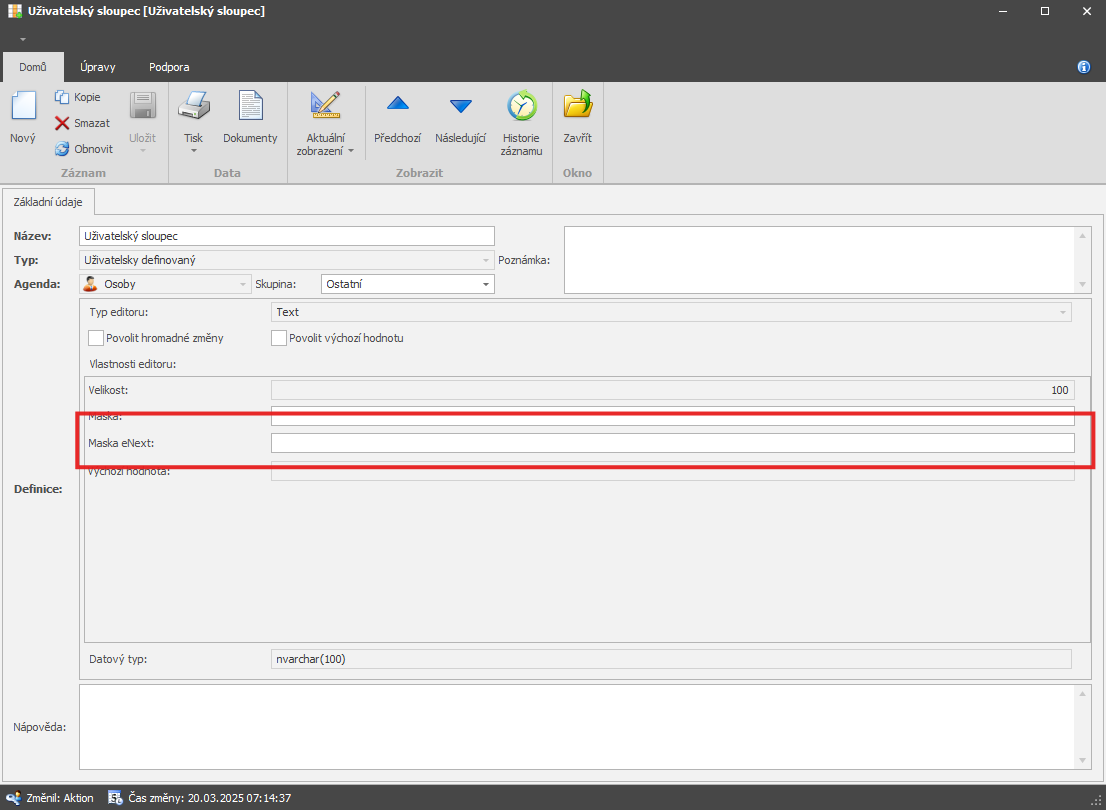
Link to the full documentation – eNext masks, the most commonly used ones are listed below
1. Basic masks | ||
Format | Output | Description |
YY | 18 | Two-digit year |
YYYY | 2018 | Four-digit year |
M | 1–12 | Month, starting from 1 |
MM | 01–12 | Month, 2 digits |
MMM | Jan–Dec | Abbreviated month name |
MMMM | January–December | Full month name |
D | 1–31 | Day in month |
DD | 01–31 | Day in month, 2 digits |
d | 0–6 | Day of week, Sunday = 0 |
dd | Su–Sa | Minimum day-of-week name |
ddd | Sun–Sat | Abbreviated day-of-week name |
dddd | Sunday–Saturday | Full day-of-week name |
H | 0–23 | Hour |
HH | 00–23 | Hour, 2 digits |
h | 1–12 | Hour, 12h format |
hh | 01–12 | Hour, 12h format, 2 digits |
m | 0–59 | Minute |
mm | 00–59 | Minute, 2 digits |
s | 0–59 | Second |
ss | 00–59 | Second, 2 digits |
SSS | 000–999 | Millisecond, 3 digits |
Z | +05:00 | Offset from UTC, ±HH:mm |
ZZ | +0500 | Offset from UTC, ±HHmm |
A | AM PM | |
a | am pm | |
2. Localized | ||
Format | English locale | Sample output |
LT | h:mm A | 8:02 PM |
LTS | h:mm:ss A | 8:02:18 PM |
L | MM/DD/YYYY | 08/16/2018 |
LL | MMMM D, YYYY | August 16, 2018 |
LLL | MMMM D, YYYY h:mm A | August 16, 2018 8:02 PM |
LLLL | dddd, MMMM D, YYYY h:mm A | Thursday, August 16, 2018 8:02 PM |
l | M/D/YYYY | 8/16/2018 |
ll | MMM D, YYYY | Aug 16, 2018 |
lll | MMM D, YYYY h:mm A | Aug 16, 2018 8:02 PM |
llll | ddd, MMM D, YYYY h:mm A | Thu, Aug 16, 2018 8:02 PM |
3. Advanced | ||
