• How to browse the training catalog – overview columns and their meaning.
• How to create and edit training – all form sections.
• How to configure registration and notifications.
• How to attach qualification requirements to training.
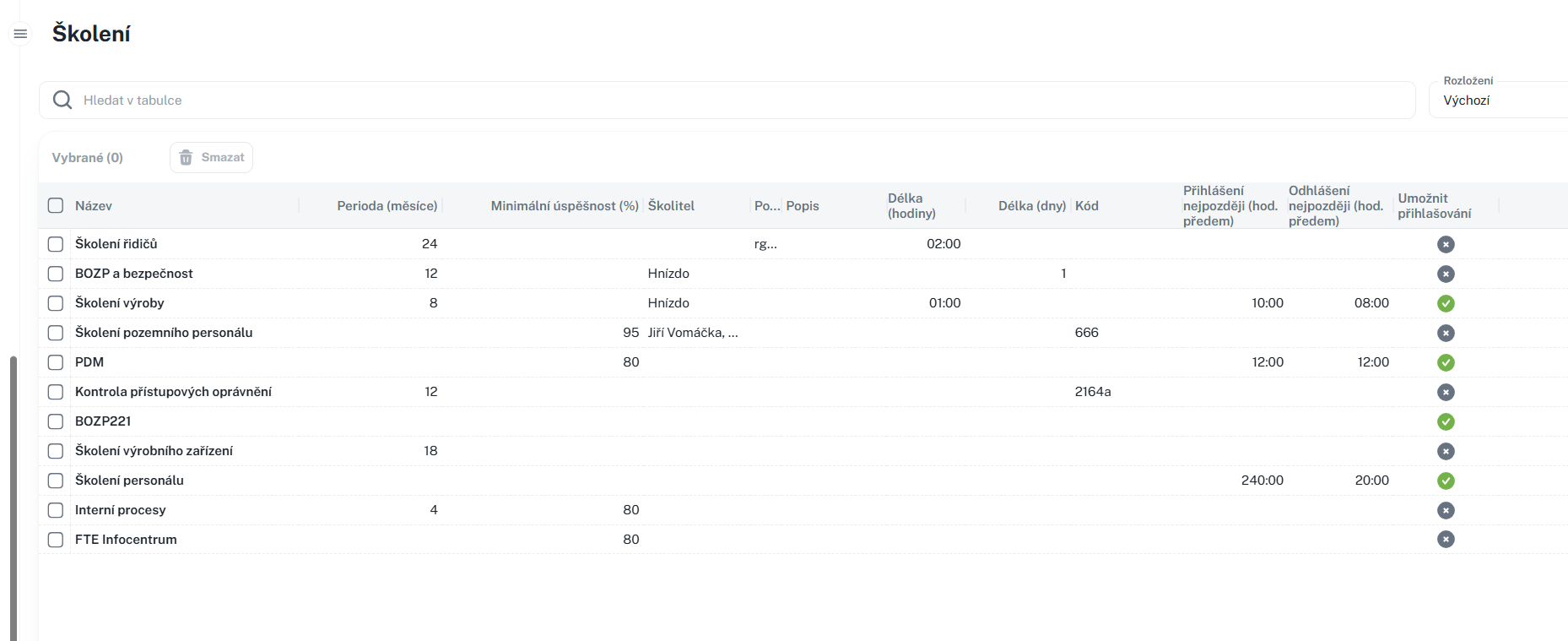
This manual serves as a guide to the Training agenda – a catalog of training programs. Specific training dates (training events) are subsequently created from individual training courses in the catalog in the Training Overview agenda.
You will find the agenda in the left menu under the Education group (Administration) under the item Training.
In the default view, the table contains the columns Name, Note, Modified by, and Time of modification. By clicking
Create new training using the New button. The form is divided into several sections.
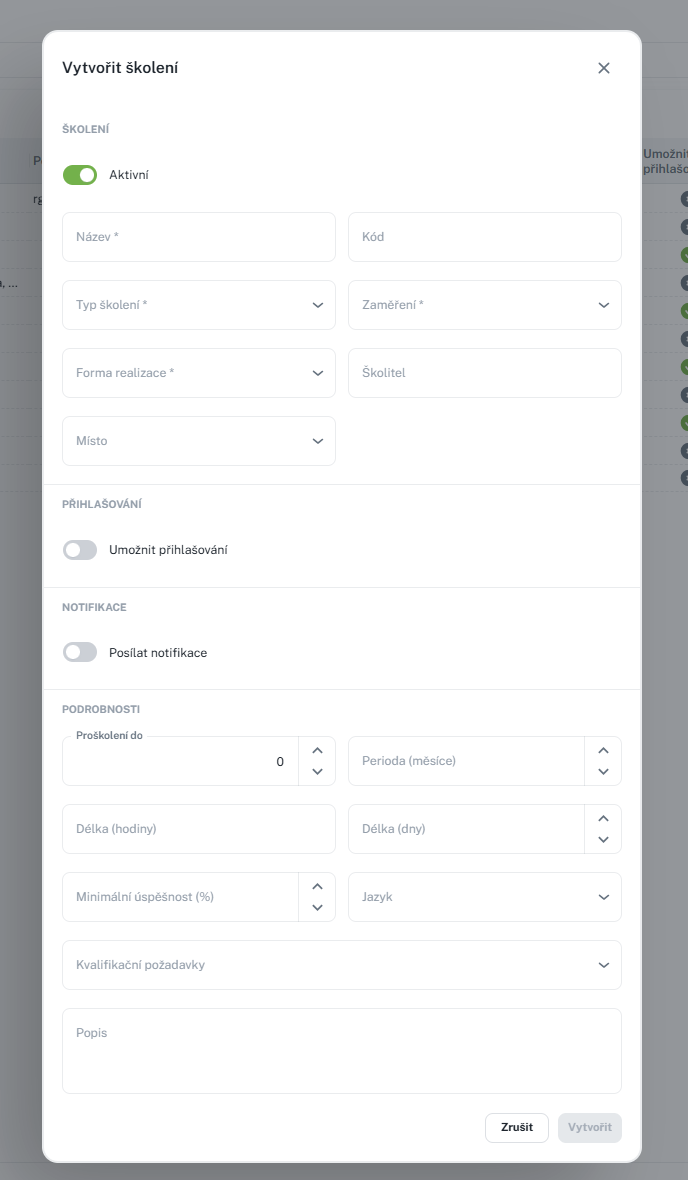
• Active – toggle switch; new training is active by default.
• Name – name of the training.
• Course ID – custom course identifier.
• Training Type – selection from a list.
• Focus – selection from the Focus list (multiple selections allowed).
• Implementation Form – selection from the Implementation Form registry (multiple selections allowed).
• Instructor
• Location – selection from training locations (Locations agenda).
• Allow Registration – toggle switch; when enabled, deadlines will be displayed.
• Register Until – how long before the scheduled date registration is allowed (1–240 hours).
• Unregister Until – how long before the scheduled date unregistration is allowed (1–240 hours).
Note: When registration is disabled, both deadlines are automatically reset to zero.
• Send notifications – toggle.
• Reminder (days in advance) – number of days before the scheduled date to send a reminder (0–400; 0 = on the training day).
• Trained until and Period – training recurrence parameters.
• Duration (hours)
• Declared days
• Minimum success rate – in percentage (0–100).
• Language – single or multiple languages.
• Qualification requirements – linking one or more requirements.
• Description and Note – multi-line text.
Note: In addition to the fields described, the form may contain additional "user-defined fields" (UDF) if configured for the agenda in your installation. Their content and mandatory status vary depending on the specific configuration.
• New – creation of a new training.
• Copy – creation of a new training based on an existing one.
• Edit – modification of a record.
• Delete – individually or in bulk, with confirmation.
• Print / Export – according to permissions.
The General tab in the detail view is divided into two sections:
• Basic Information – an overview of all fields organized in the same structure as the form; use the edit button to open the same form.
• Qualification Requirements – a linked table of requirements assigned to the training. Requirements can be added (selected from a catalog) or removed (individually or in bulk).
The display and editing of the Training agenda are governed by assigned permissions. Without read access, the agenda will not be displayed; printing and other actions are dependent on the appropriate permissions.
• Qualification Requirements (add link after publication)
• Locations (add link after publication)
• Forms of Implementation (add link after publication)
• Focus (add link after publication)
• Training Overview (dates and list of participants) (add link after publication)
