• How to create and modify a qualification requirement.
• How to set up a training condition – who the requirement will be assigned to.
• How to link training to a requirement.
This manual is intended for administrators and human resources specialists who manage education catalogs.
This manual serves as a guide to the Qualification Requirements agenda. A qualification requirement specifies which individuals must fulfill the requirement (using a condition) and which training courses fulfill this requirement.
You can find the agenda in the left menu under the Education group (Administration) under the item Qualification Requirements.
You can create a new request using the New button. The form contains:
• Title
• Note
• Training Condition – visual condition builder (see below).
• Training – linking one or more training courses that fulfill the request.
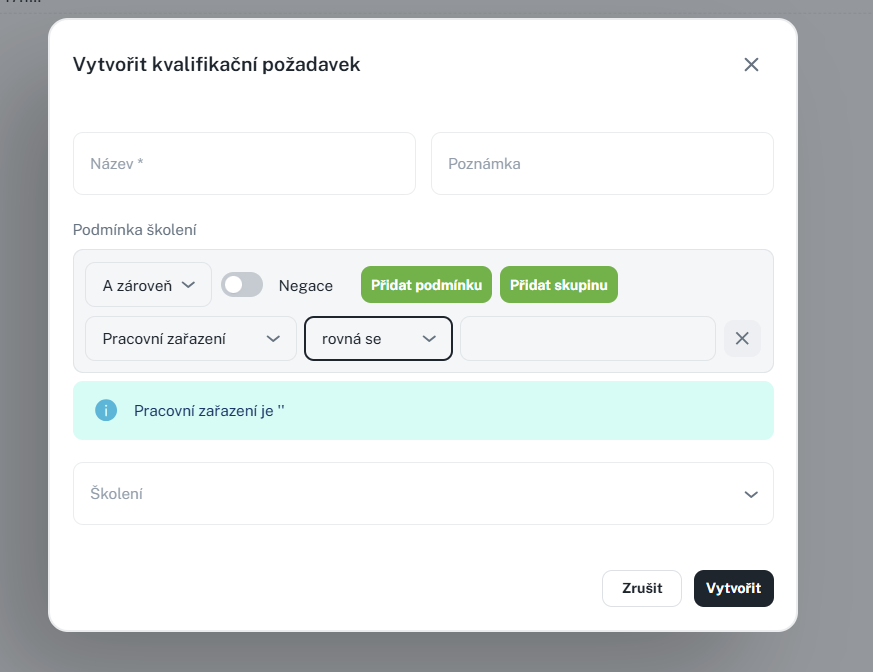
The condition defines the group of individuals to whom the request applies. You build it using a visual tool (query builder) on the columns of the Person agenda – you add rules and connect them with logical operators (and / or).
• The condition can also be displayed in natural language for easy verification.
• If the condition contains columns for which you do not have permission, a warning will be displayed with a list of missing columns.
Example of use: The request "Driver training for referents" has the condition Department = Sales A and Position = Sales Representative. The request thus applies only to sales representatives of the given department.
• New / Copy
• Edit
• Delete – individually or in bulk, with confirmation.
• Print / Export – according to permissions.
Note: When saving, duplicates are checked (dialog "Duplicate values").
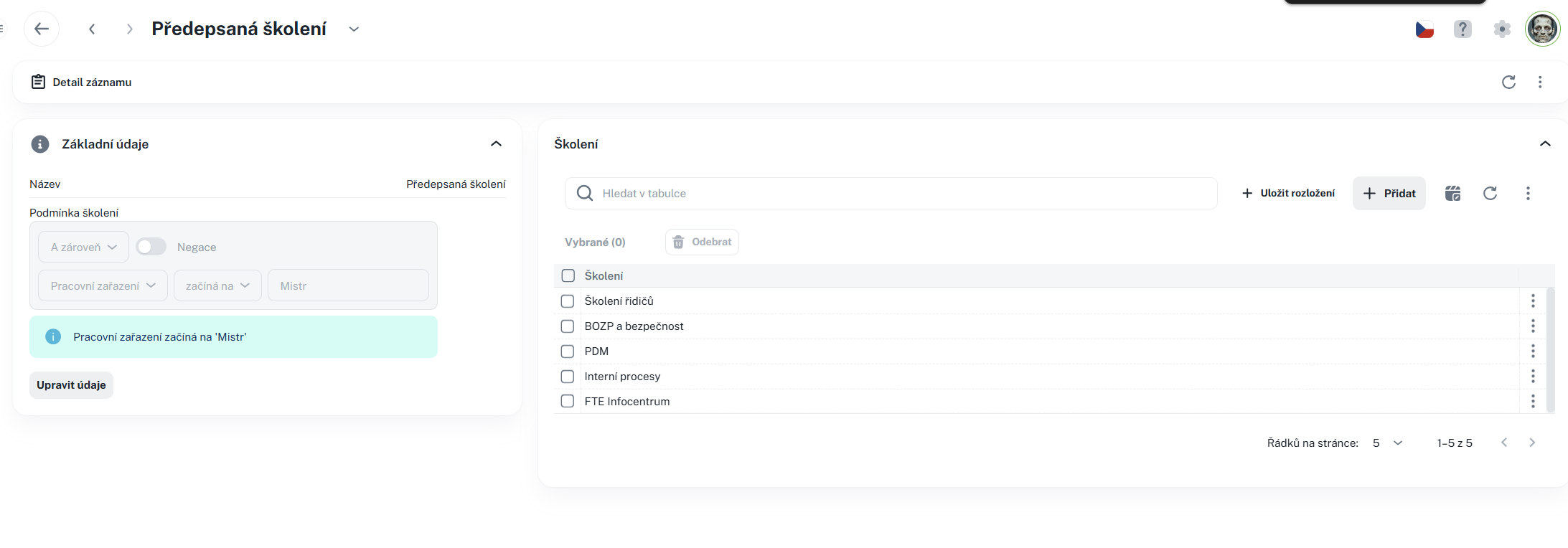
The Detail has a General tab divided into two sections:
• Basic Information – Name, Note, and preview of Training Conditions (read-only). You can start editing using the edit button.
• Training – linked table of training assigned to the requirement. You can Add training (selection from catalog) and Remove it.

Display and editing are governed by assigned permissions. The training condition additionally works with columns from the Person agenda – columns you do not have access to will not be displayed in the condition, and the system will alert you to them.
Školení
This manual describes working with the Training agenda, which serves as a catalog of training programs. You will learn how to create, edit, and manage training, set their parameters, registration and notifications, assign qualification requirements, and work with the overview and detail of training. The manual is intended for administrators who manage the training catalog in the system.
Training Overview
This manual describes how to work with the Training Overview agenda and its tabs: Person Overview and Dates. It provides information on training validity overview, record filtering, assigning training to individuals, managing dates, registering participants, and recording results of completed training. It also includes information on permissions for individual actions and recommended practices for efficient training management in the system.
